Grouping form fields
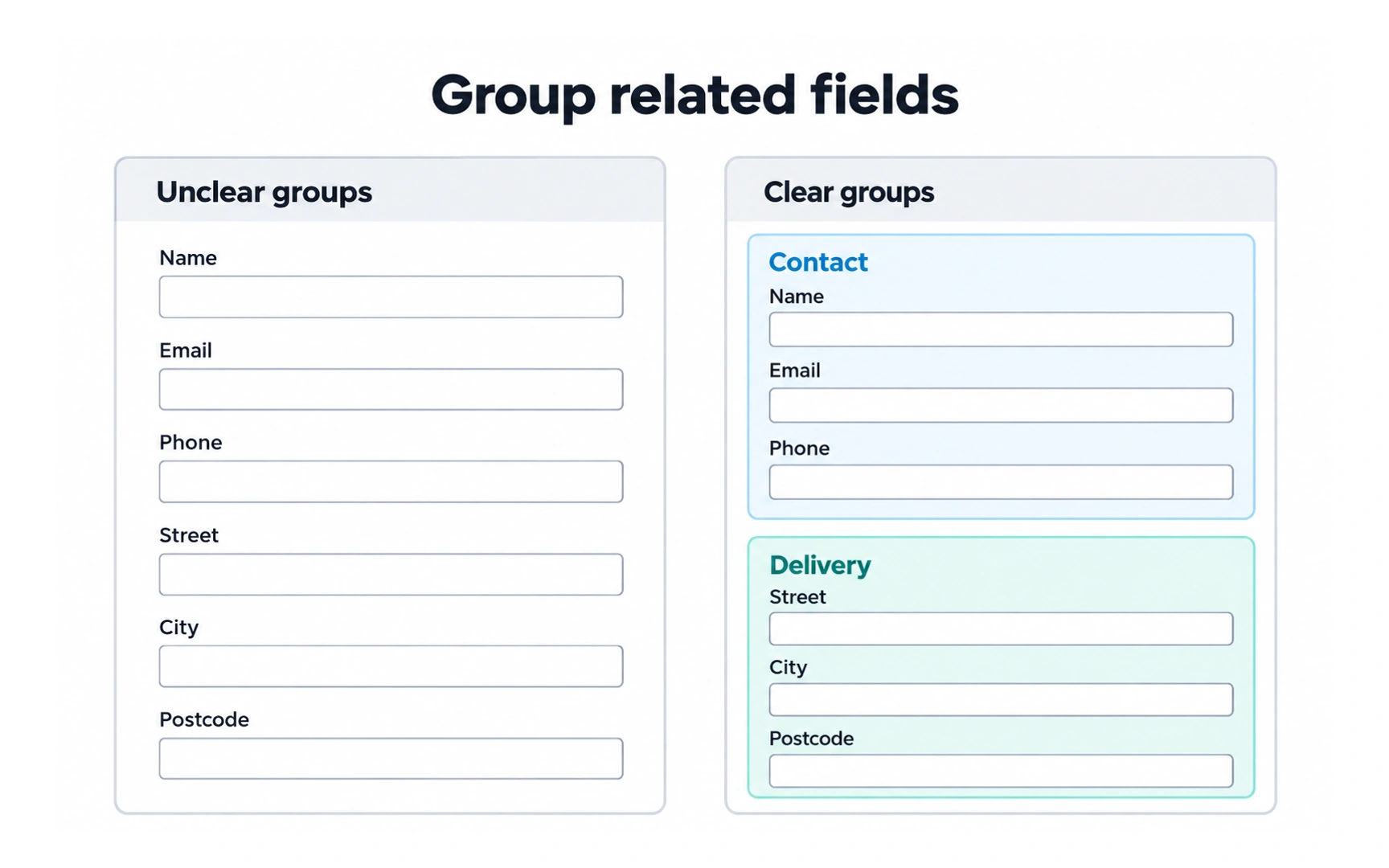
Proximity tells people which items belong together. In the example, the unclear form spaces all six fields evenly, so it is hard to see where contact details end and the address begins.
The clear form splits the fields into two groups, Contact and Delivery, with more space between the groups than within them. People can now take in the form one section at a time.
The rule of thumb: keep the space inside a group smaller than the space between groups. A group heading or a light background can strengthen the grouping.