Intro to Information Architecture
Learn how to sort, structure, label and connect content so people can find it.
Information architecture is how content is organized, labeled and connected so people can find it. This lesson covers ways to sort content, common site structures, and the navigation, labeling and search systems that help people get where they want to go.
What is information architecture?
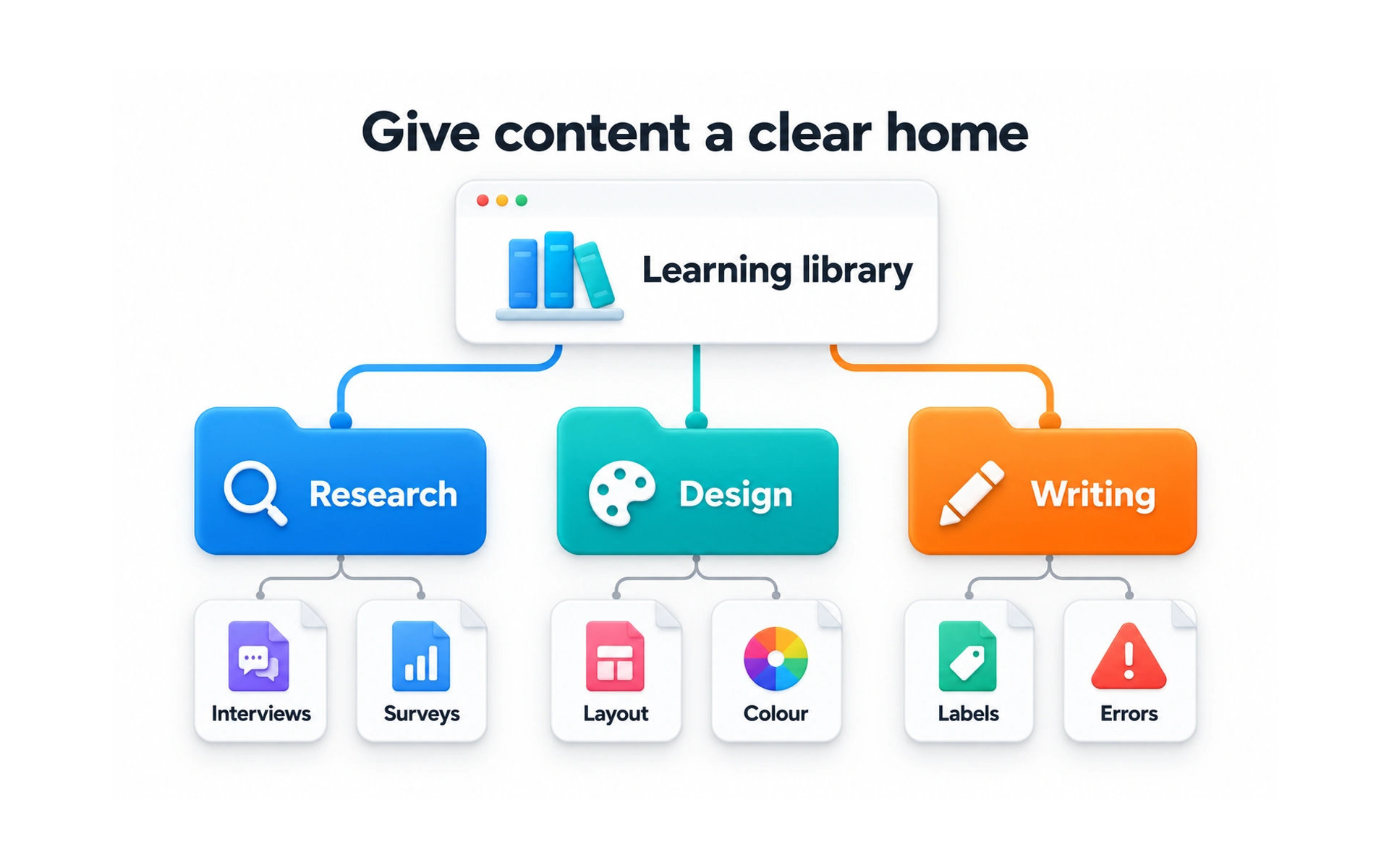
Information architecture (IA) is the practice of organizing content so people can find what they need. In the example, a learning library groups its content into Research, Design and Writing, each with its own topics.
Without that structure, everything would sit in one long list. With it, people can predict where something belongs and go straight there.
IA shapes site maps, categories, navigation, labels and search. Good IA is based on how users think about the content, not on how the company is organized.
Alphabetical sorting
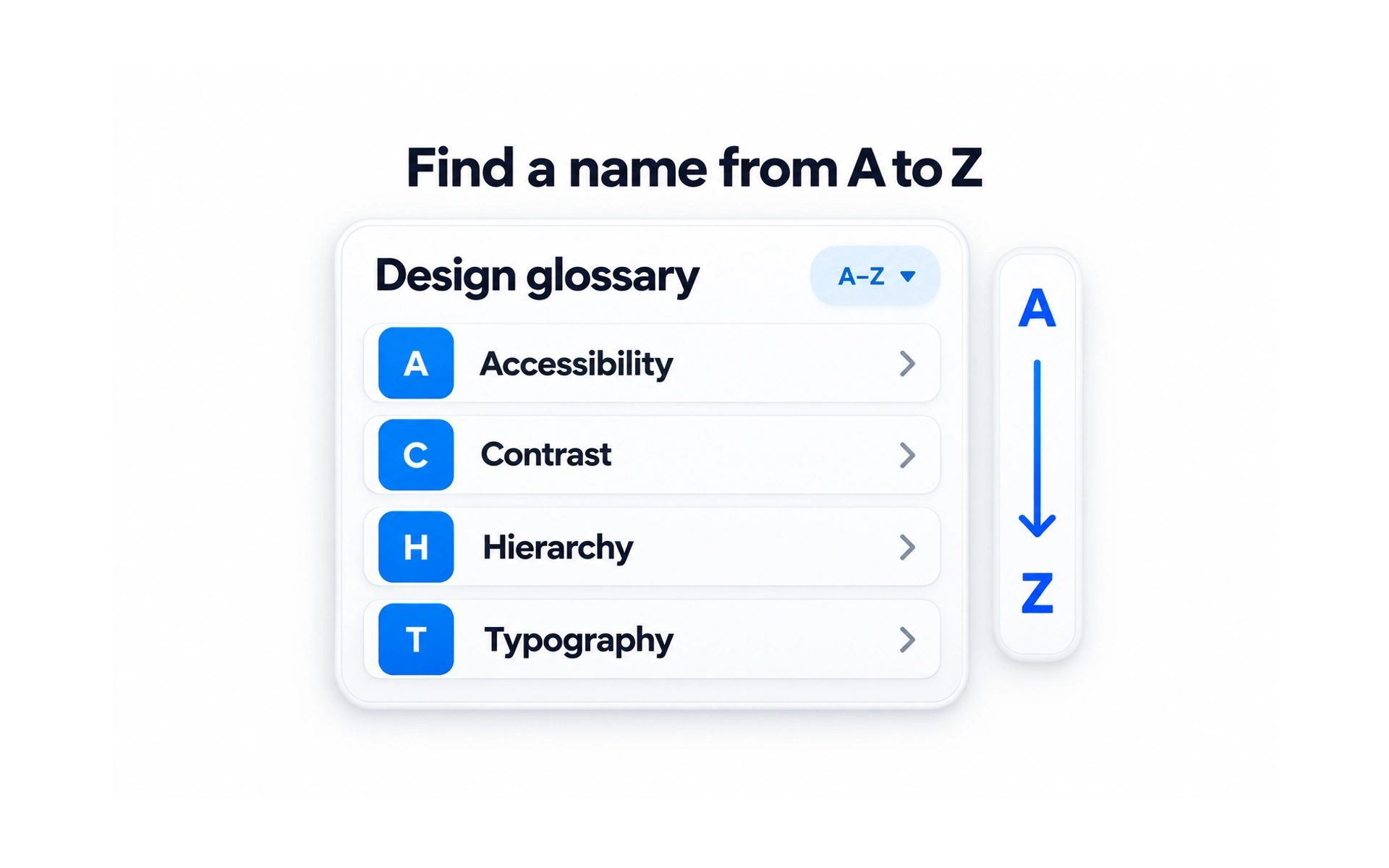
Alphabetical sorting lists items from A to Z. In the example, a design glossary lists Accessibility, Contrast, Hierarchy and Typography in order.
It works when people already know the name of what they are looking for, such as a term in a glossary or a contact in an address book.
It works poorly when people don’t know the exact name, or when they need items grouped by topic, date or importance.
Chronological sorting
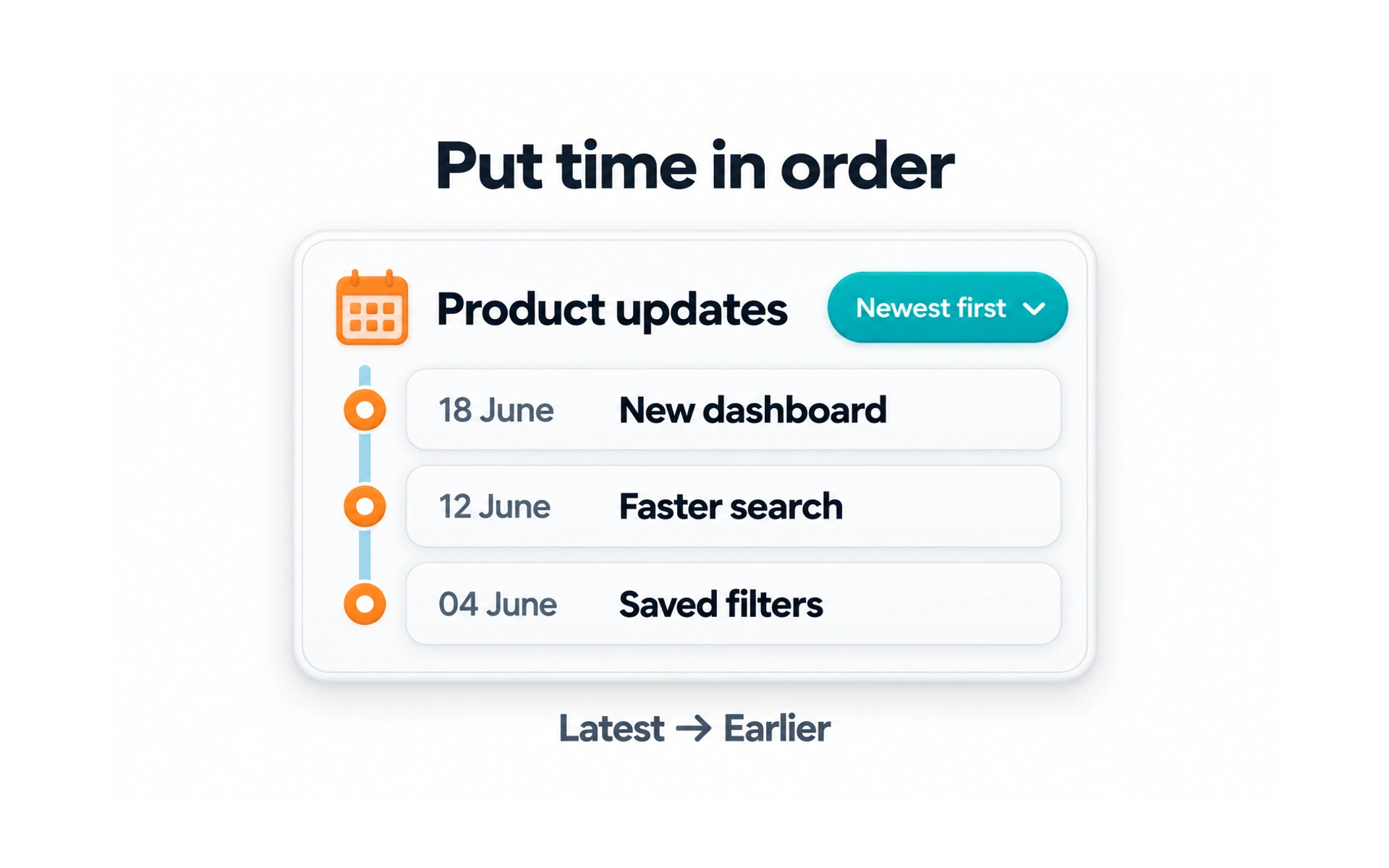
Chronological sorting orders items by date or time. In the example, product updates are listed newest first, from 18 June back to 4 June.
It suits content where time matters, such as news, blog posts, messages, order history and event schedules.
Newest first is common for updates and feeds. Oldest first suits step-by-step content, such as a course or a series of videos.
Thematic sorting
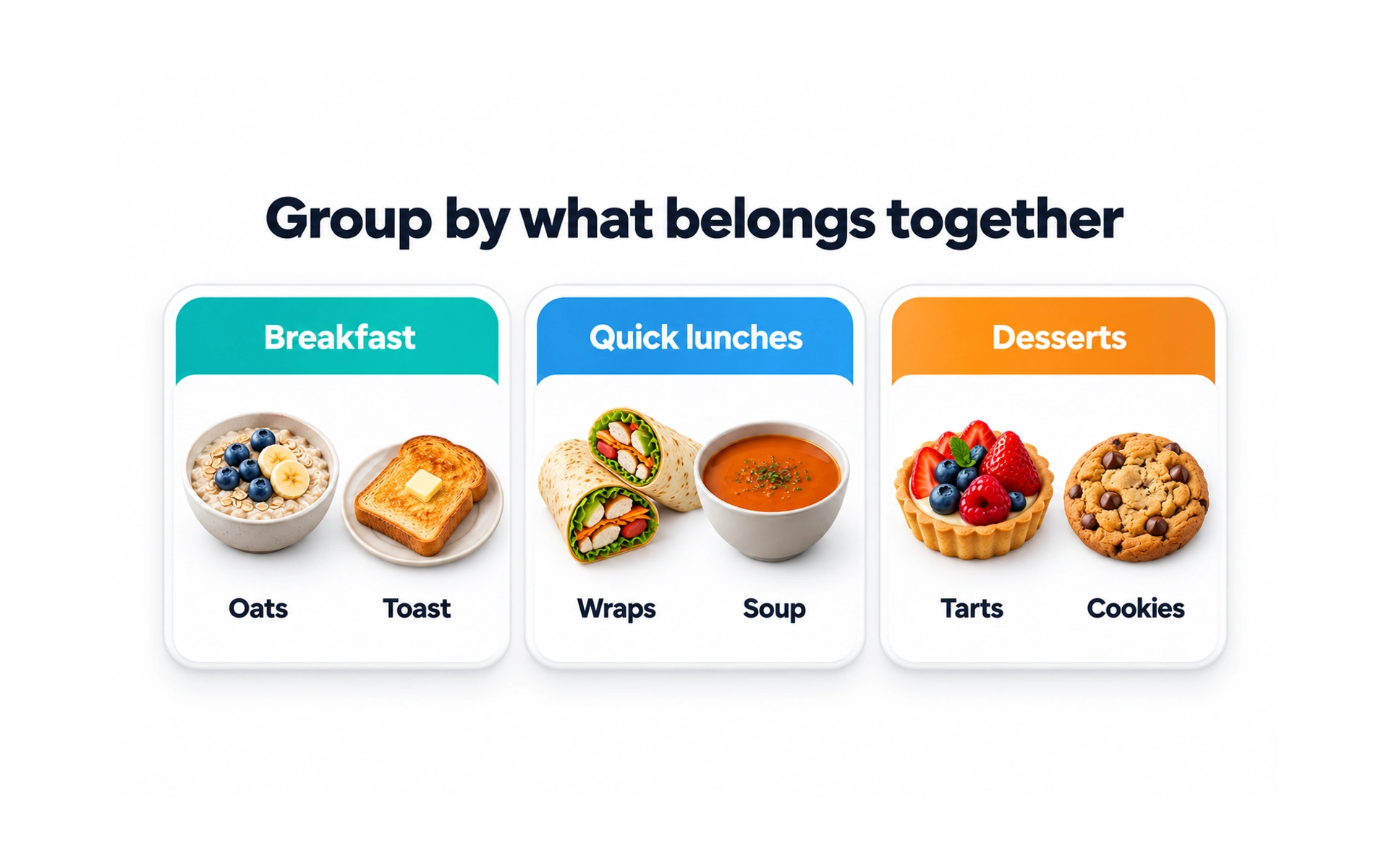
Thematic sorting groups items by topic. In the example, a recipe site groups dishes into Breakfast, Quick lunches and Desserts.
It helps people browse when they know what kind of thing they want, but not its exact name.
Choose themes that match how your users think. Card sorting, where people group topics themselves, is a good way to find them.
Navigation systems
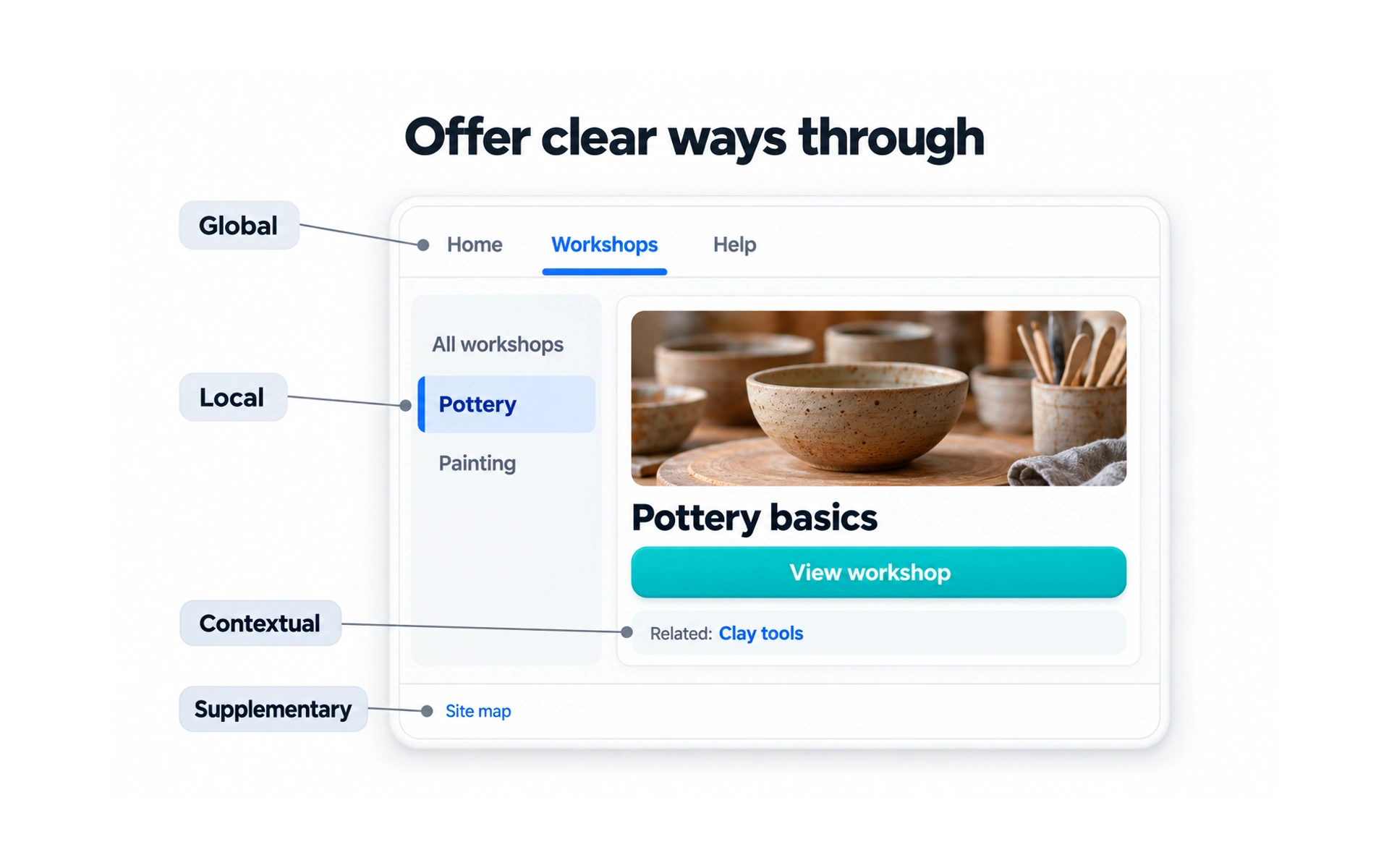
Navigation helps people move through a product. The example labels four kinds of navigation on one page:
- Global: the main menu on every page, such as Home, Workshops and Help.
- Local: links within the current section, such as Pottery and Painting.
- Contextual: links inside the content to related pages, such as "Related: Clay tools".
- Supplementary: extra ways to find things, such as a site map or search.
Most products combine several kinds, so people can find content in more than one way.
Navigation should also tell people where they are, for example by highlighting the current section, and the browser’s Back button should always work as expected.
Hierarchical structure
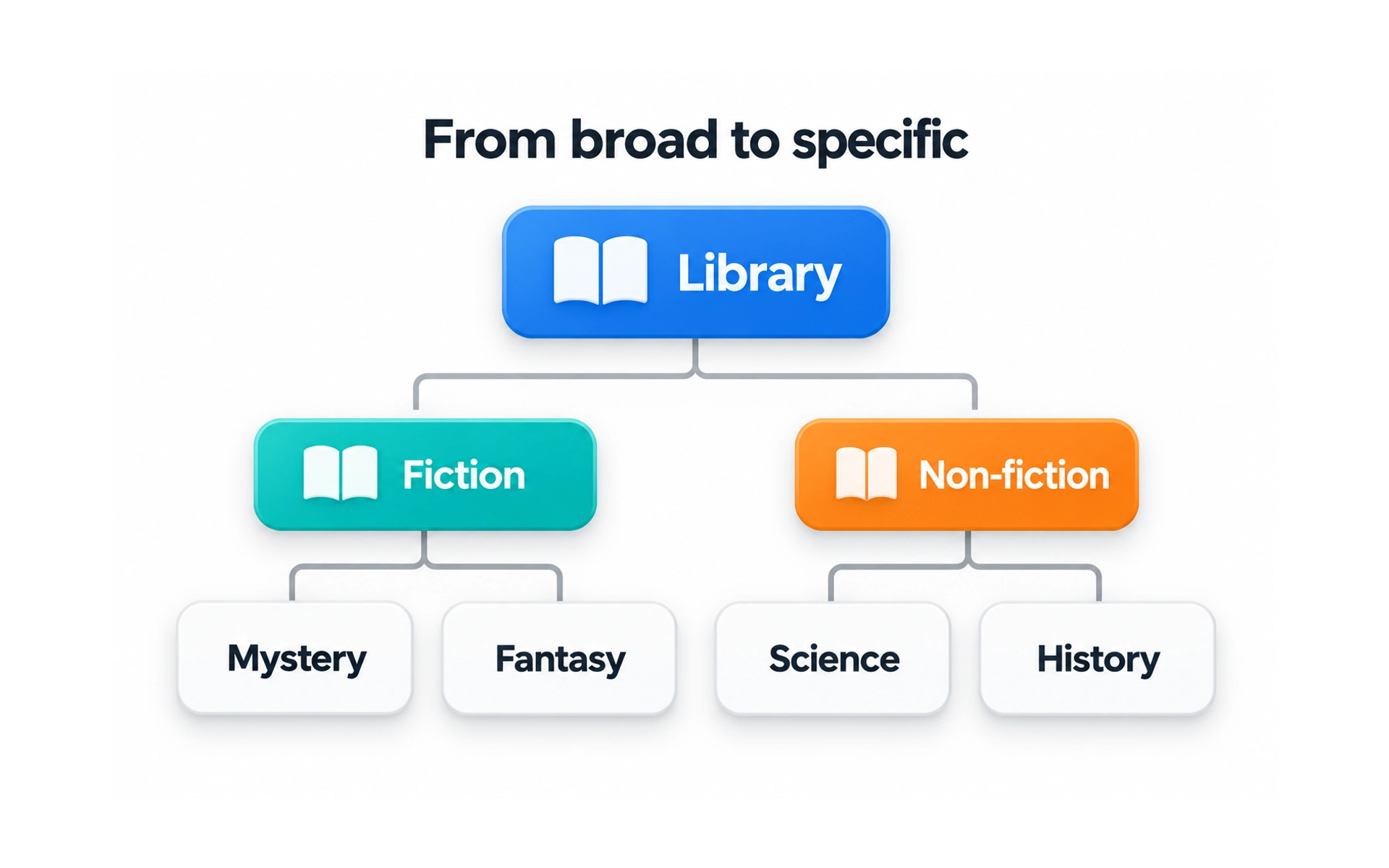
A hierarchical structure goes from broad categories to specific ones, like a family tree. In the example, a Library splits into Fiction and Non-fiction, and each splits further.
It is the most common structure, because it handles large amounts of content and lets people narrow down step by step.
Balance depth and breadth. Too many levels make people click a lot; too many items per level make menus hard to scan.
Sequential structure
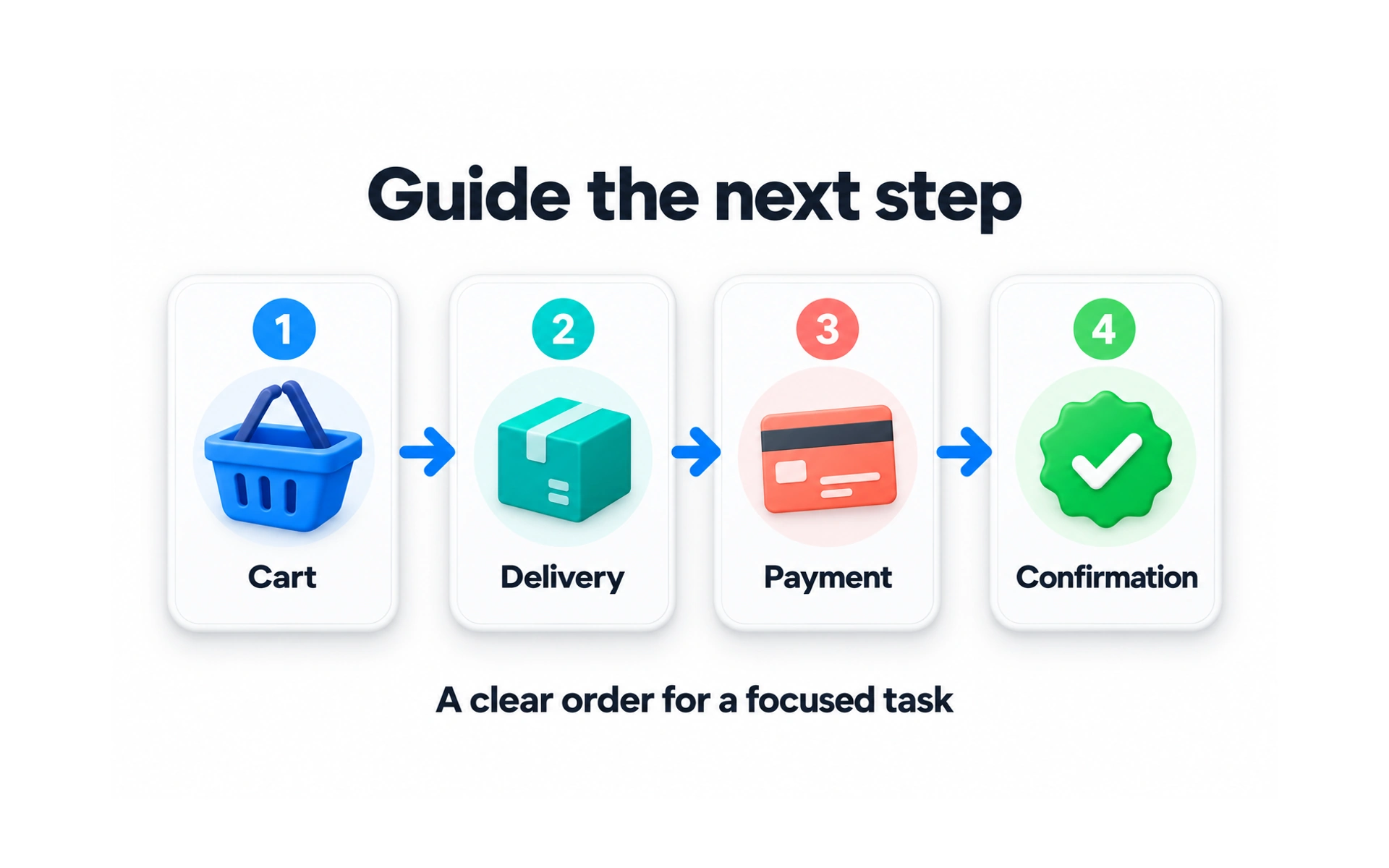
A sequential structure leads people through steps in a set order. In the example, checkout goes from Cart to Delivery to Payment to Confirmation.
It suits tasks that must happen in order, such as checkout, sign-up or setup wizards.
Show people where they are in the sequence, and let them go back to change earlier steps when possible.
Matrix structure
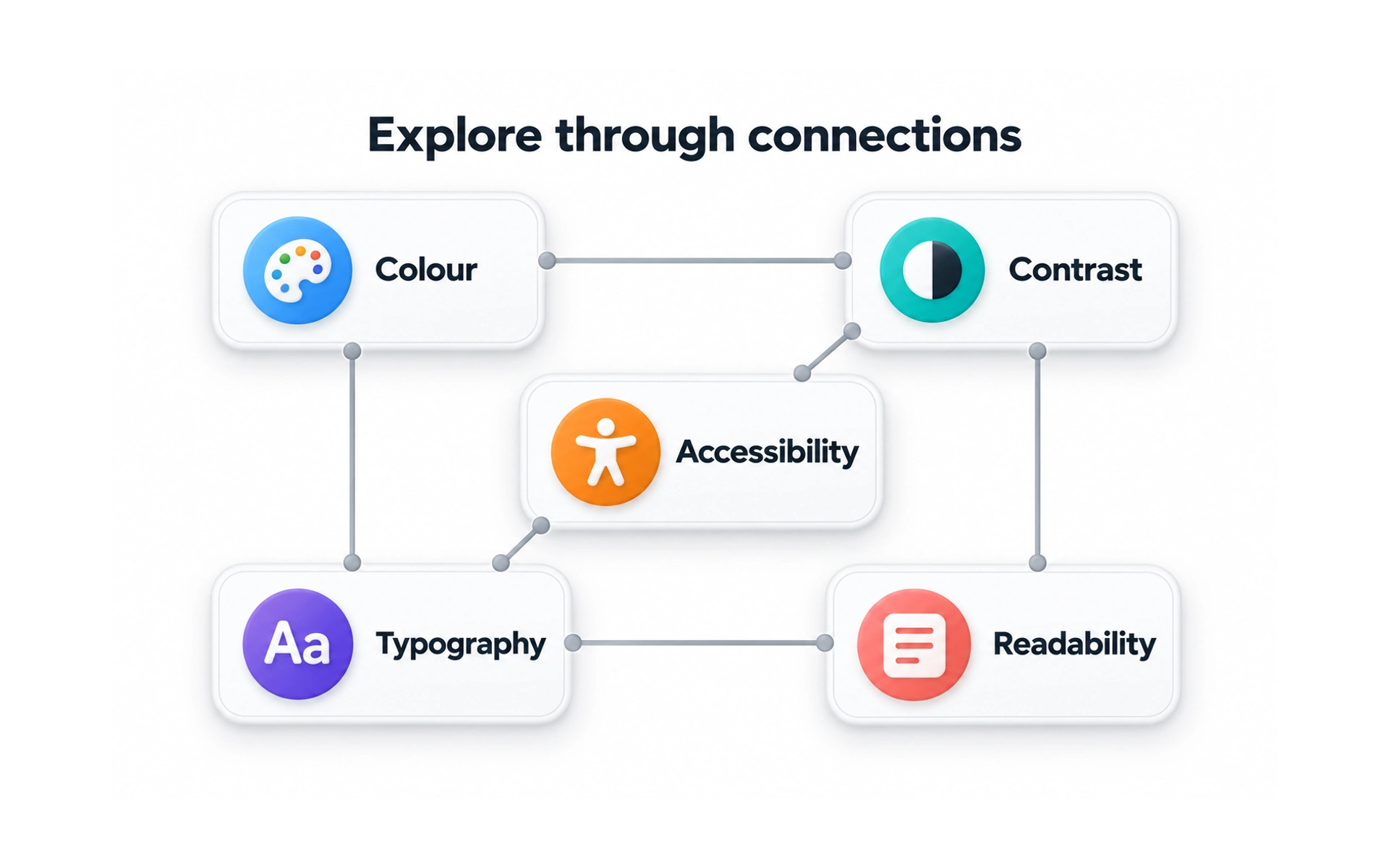
A matrix, or network, structure links content in many directions. In the example, Colour, Contrast, Accessibility, Typography and Readability all connect to each other.
People can follow whichever link interests them, as on Wikipedia, rather than a set path.
This freedom suits exploration, but people can get lost. Clear page titles, breadcrumbs and search help them keep their bearings.
Flat structure
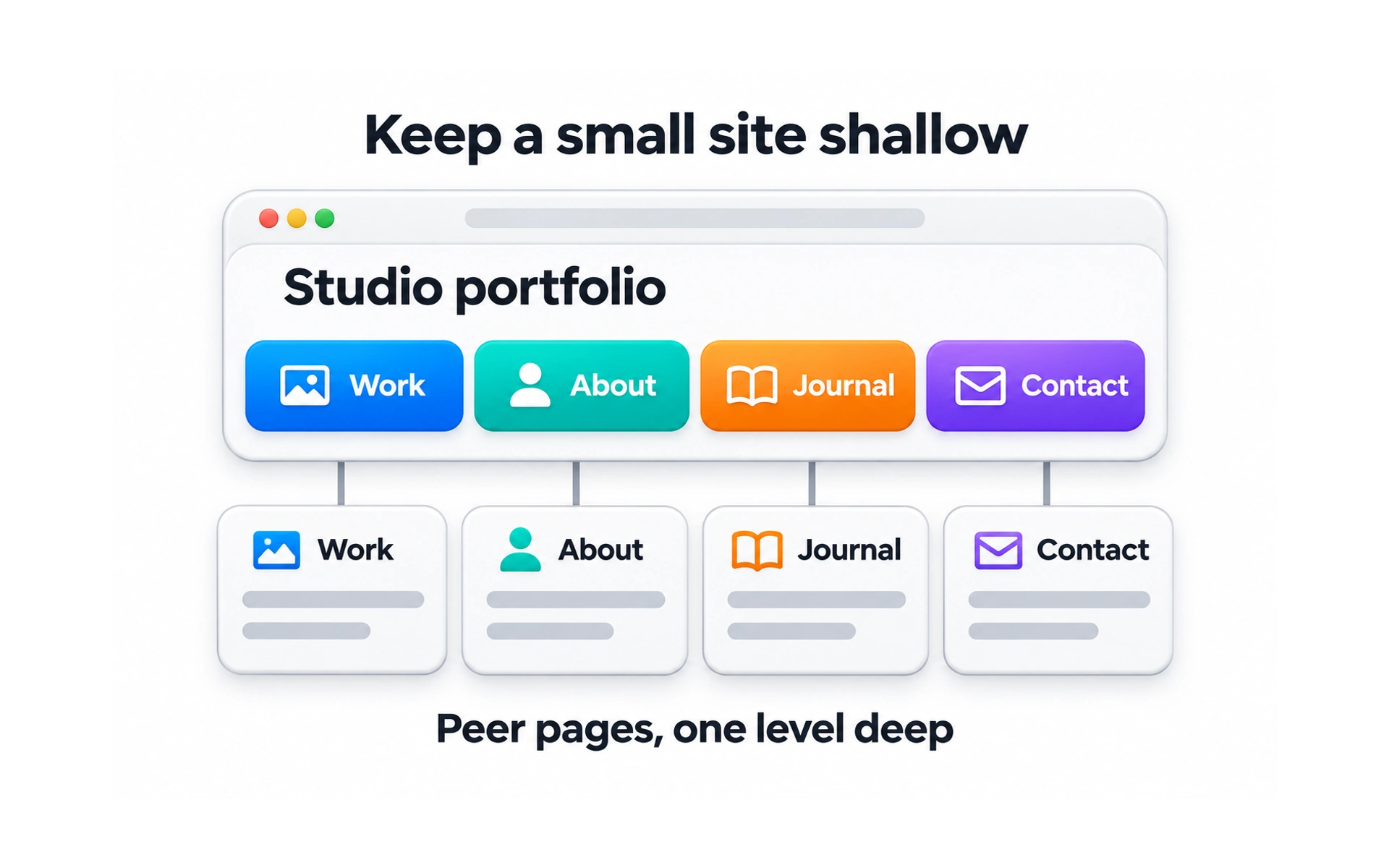
A flat structure puts all main pages at the same level. In the example, a studio portfolio has Work, About, Journal and Contact, all one click from the top.
It is simple and fast to navigate, which makes it ideal for small sites, landing pages and simple apps.
As content grows, a flat structure gets crowded. At that point, grouping pages into a hierarchy works better.
Labeling systems
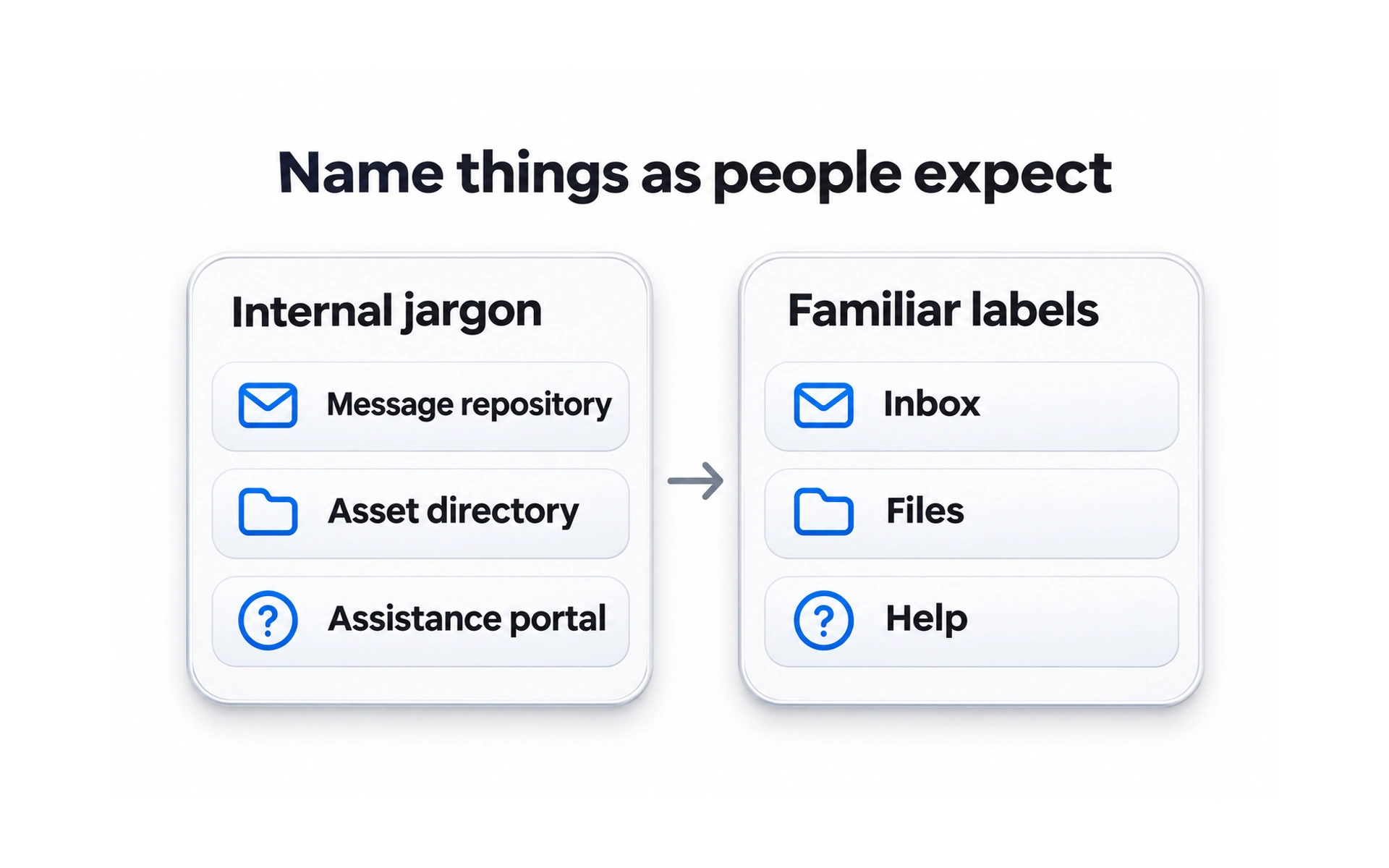
Labels are the names for links, menu items and headings. In the example, internal jargon such as "Message repository" is replaced by familiar labels such as "Inbox".
Good labels tell people what they will find before they click.
To write strong labels:
- Use words your users use, not internal terms.
- Be specific; avoid vague labels such as "More" or "Stuff".
- Keep labels consistent across the product.
Search systems
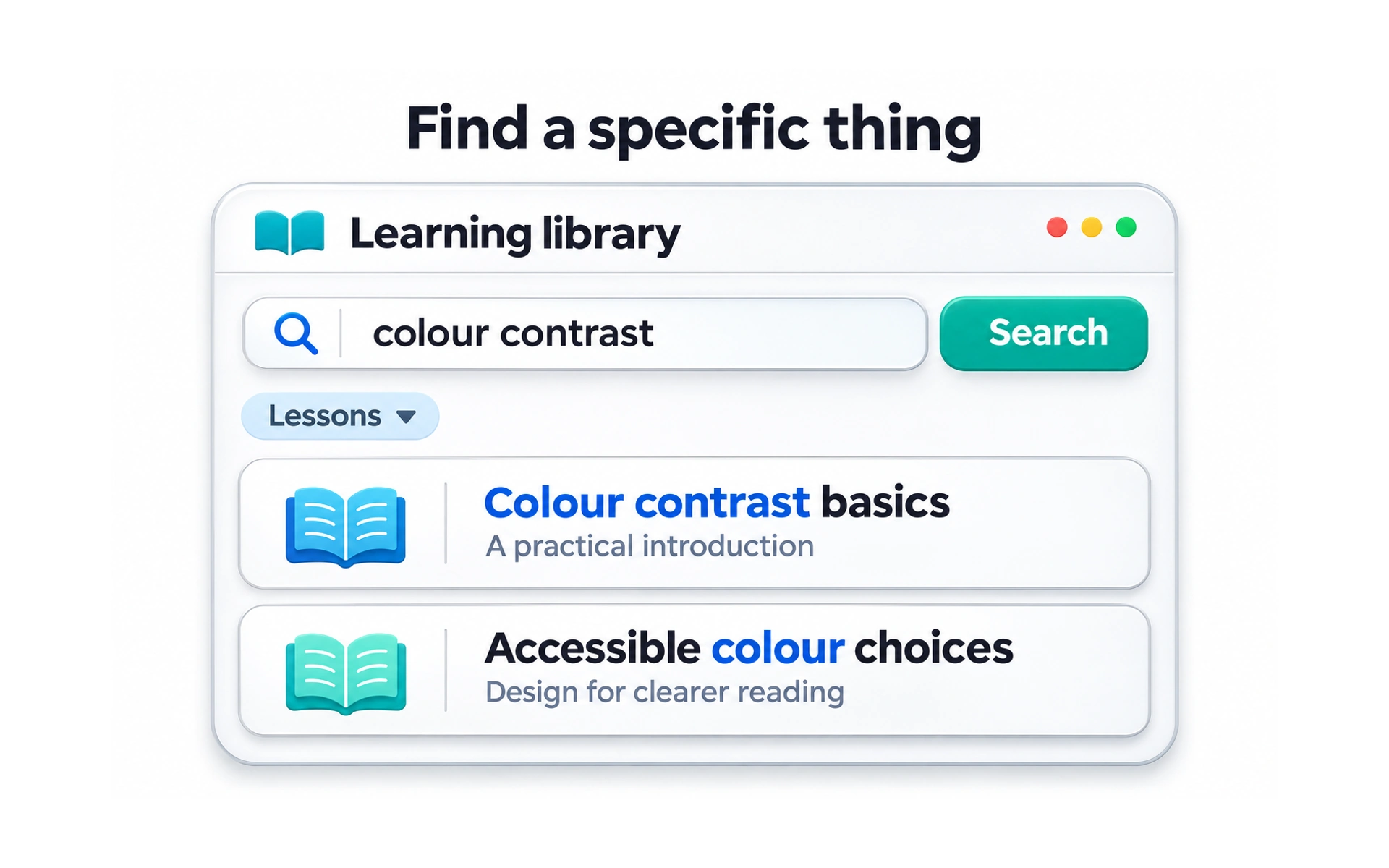
Search lets people go straight to what they want. In the example, typing "colour contrast" in a learning library returns matching lessons, with a filter to narrow the results.
Search is essential for large collections, such as stores, libraries and help centers, and less important for small, simple products.
Search supports navigation but doesn’t replace it. If many people search for common pages, the navigation or labels may need work.
REFERENCES
TOPICS
FROM COURSE